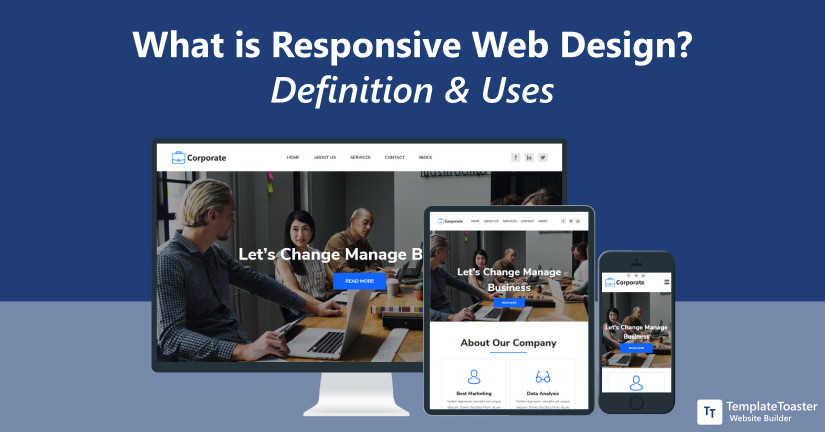
Understanding the Fundamentals of Responsive Web Design
Responsive Web Design (RWD) is an approach to web development that ensures a seamless user experience across a variety of devices and screen sizes. By utilizing fluid grids, flexible images, and media queries, RWD allows websites to adapt their layout and content based on the device accessing them. This is crucial in a time where Internet users browse from numerous platforms, including smartphones, tablets, and desktops. Implementing RWD not only enhances user satisfaction but also plays a significant role in improving SEO rankings, as search engines favor sites that provide optimal experiences across all devices.
To fully grasp the fundamentals of Responsive Web Design, it is essential to understand its core components:
- Fluid Grid Layouts: This involves using percentage-based widths instead of pixel units, allowing elements to resize dynamically.
- Flexible Images: Images should also scale within their containing elements to prevent overflow and maintain visual integrity.
- Media Queries: These are critical for applying different styles based on the device's characteristics, such as screen size and resolution.
Top 5 Techniques for Achieving Fluid Layouts
Achieving fluid layouts is essential for modern web design, as it ensures that your website looks great on all devices. Here are the top 5 techniques to create fluid layouts that adapt seamlessly across various screen sizes:
- Flexible Grids: Utilize percentage-based widths for your grid columns instead of fixed pixel values. This allows your design to scale proportionately, making it fluid and responsive.
- Media Queries: Implement CSS media queries to adjust styles based on the viewport. This technique enables specific modifications at certain breakpoints, ensuring your layout remains fluid at different screen resolutions.
Continuing our exploration, here are three more techniques that can enhance the fluidity of your layouts:
- Flexible Images: Use CSS to set images to a maximum width of 100%. This prevents them from overflowing their containers, allowing them to resize as the viewport changes.
- Viewport Units: Consider using viewport width (vw) and height (vh) units for font sizes and layout elements. This allows text and components to adjust dynamically with the size of the browser window.
- CSS Frameworks: Leverage frameworks like Bootstrap or Foundation, which are specifically designed to foster fluid layouts. These frameworks offer a grid system and pre-defined classes that simplify the process of creating a responsive design.
Is Your Website Mobile-Ready? Key Factors to Consider
With the increasing reliance on mobile devices for internet browsing, ensuring that your website is mobile-ready has never been more crucial. A mobile-ready website adapts to different screen sizes and resolutions, providing a seamless user experience. Key factors to consider include responsive design, which allows your site to automatically adjust its layout, and fast loading speeds, as mobile users often abandon sites that take too long to load. Additionally, optimizing navigation for touchscreens can enhance usability and engagement.
Another critical aspect to review is content readability. Text should be easily readable without zooming, and images must be optimized for mobile to prevent lagging. Test your website on various devices to ensure functionality and aesthetics remain intact. You may also want to implement mobile SEO best practices, such as using mobile-specific keywords and ensuring your site is indexed properly by search engines. By focusing on these factors, you can improve your site’s performance and user experience on mobile devices.